
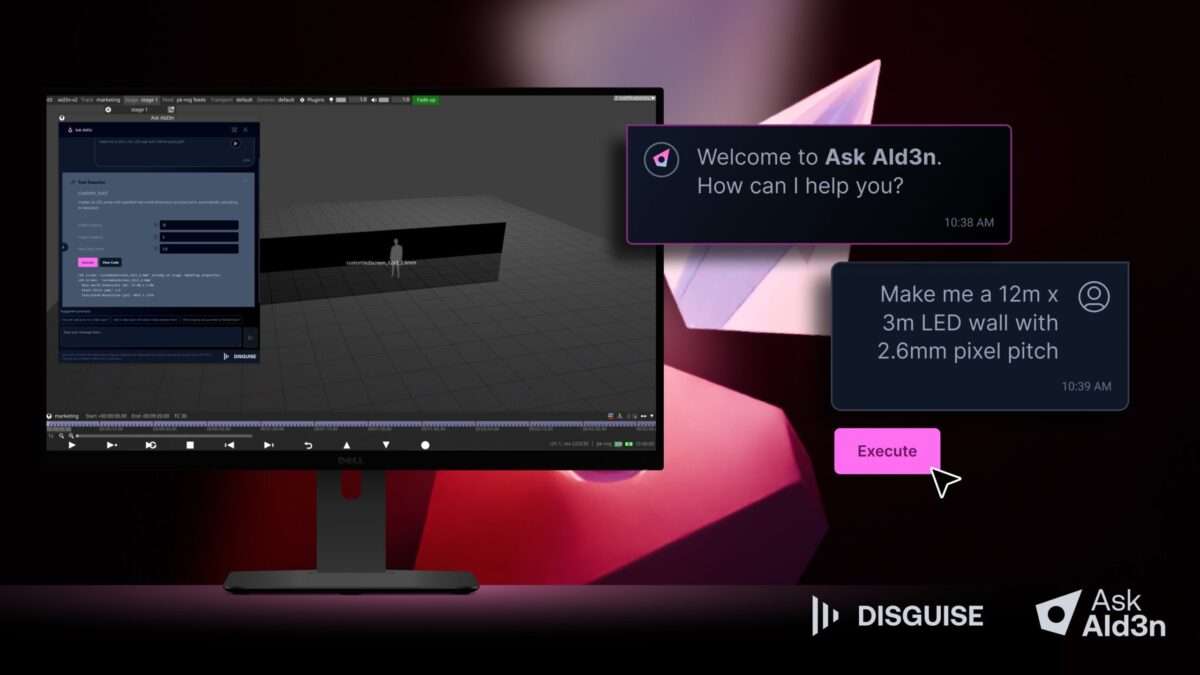
Disguise has announced a major update to its AI-powered workflow assistant for Designer Pro, Ask AId3n. The update enables production teams to sequence repetitive or technical tasks, reducing hours of work at the click of a button. This will streamline the programming of concerts, theater shows, corporate events, virtual productions and more.
Powered by Google’s Gemini 2.5 Pro, Ask AId3n enables Designer Pro users to type questions into a chat-based interface, from simple queries like “how do I add blur?” to more complex commands instructing the tool to make direct changes to a project file. For example, if working on concert visuals at a well-known arena, users could instruct Ask AId3n to set up the screen and stage for that particular venue, with details sourced from the AI’s knowledge base to solve the challenge of screen size and resolution.
They could then tell Ask AId3n to create layers and keyframes for every musical beat of the show and have those changes made within seconds. Alternatively, if working on an awards ceremony, teams could request Ask AId3n to instantly create video layers that introduce the presenter, the award and the winner, with section breaks after each and repeated for each award category.
Once Ask AId3n is given these kinds of complex commands, it will generate a custom tool based on the request. All users then need to do is simply click a button to see the results. All tools generated by Ask AId3n are stored in users’ Disguise Cloud accounts and are accessible to anyone across the same Disguise Cloud organization for use on future projects, saving time on both initial setup and future iterations.
“With this new update, we’re excited to help Designer Pro users continue making the most of what AI can offer,” says Disguise’s Innovation Director, Peter Kirkup. “Ask AId3n is now a true workflow assistant, with the ability to execute tasks. It’s your instant expert, on hand to not just answer questions, but also handle everything from configuring LED screens to sequencing your timeline or setting up networked machines.”
Key features of the new Ask AId3n include:
- Instant project builds — From configuring LED screens to sequencing a timeline, Ask AId3n handles the repetitive, technical tasks, interacting directly with the project file.
- Custom tools, without the coding — If you give Ask AId3n instructions, it will create a custom tool to execute that command. This tool can then be used on future projects. No coding required.
- Quick fixes — If Ask AId3n’s results aren’t exactly right, reviews and edits to the Python code that Ask AId3n generated can be used to fix it manually. Alternatively, Ask AId3n can be directed via the “fix it” prompt to fix the code with AI.
- Easy troubleshooting — Ask AId3n is fully trained on the Disguise User Guide, ensuring it can serve as a quick way to answer any questions on Designer that come up.

